AI Film Production — Turn a Full Script into Scenes, Shots, and Video
Making one clip is a different job from taking a whole script to screen. A feature has dozens of scenes, the same character appears across many of them, and the same room comes back again and again. If a face changes between scenes, or the same office renders as a different space every time, the footage will not cut together. HFLUX is built to deal with that at the script stage.
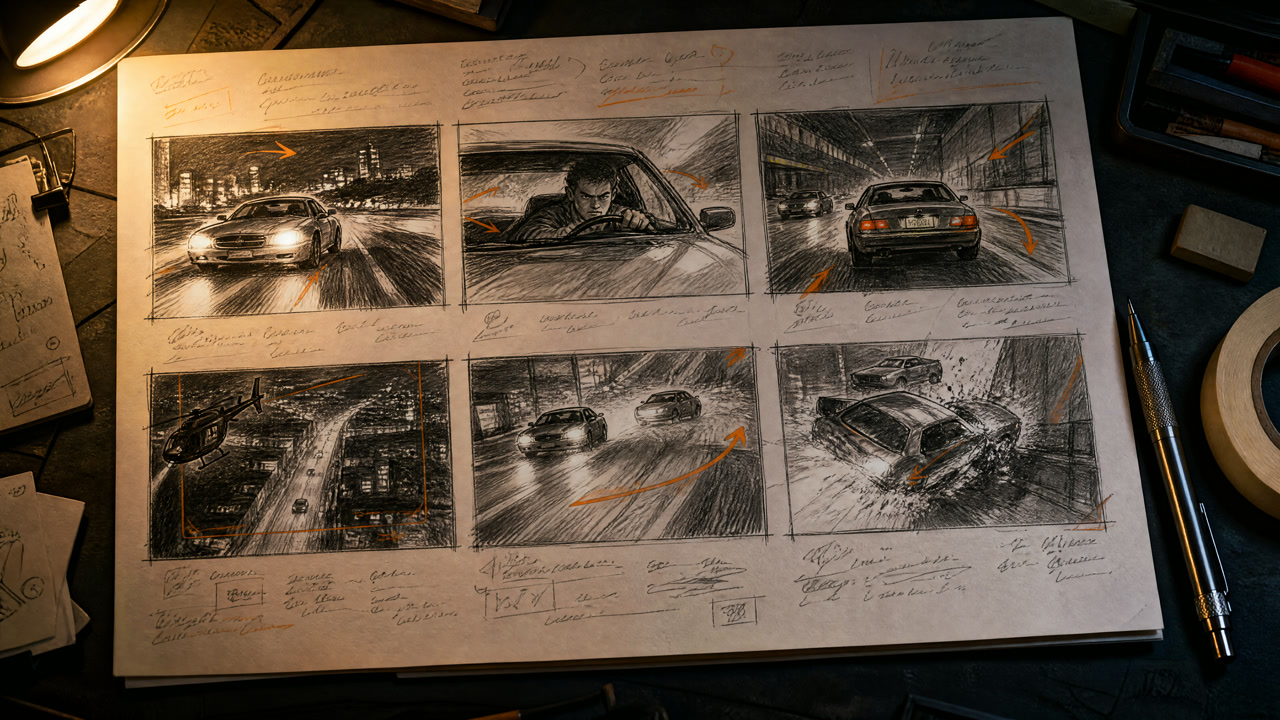
The workflow
→ STORY splits it into scenes → scene cards
→ send a scene to SCENE
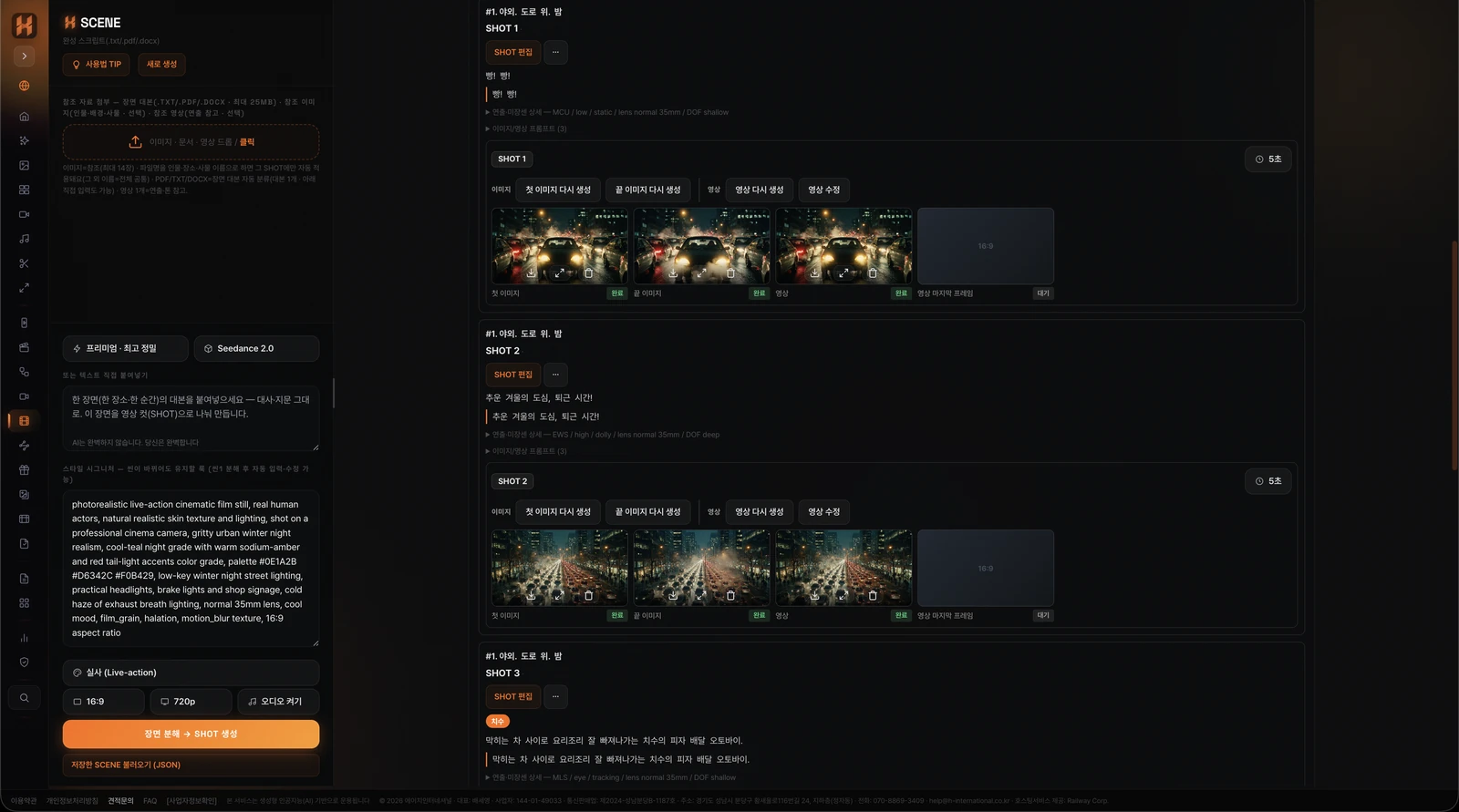
→ shot breakdown, verbatim (max 30s per shot · 15s on Seedance 2.0 models)
→ character sheet → first/last frames per shot → video per shot
→ audio · editing · upscaling
For a short you can start at SCENE directly. STORY is the step that keeps order and progress straight when a script has many scenes.
What changes when you produce in HFLUX
- The script stays as written — dialogue and action lines are split into shots without edits, so you can check the shots against the script line by line
- Characters and locations hold — character sheets and location settings carry from shot to shot, keeping the same person in the same space
- Cost before generation — the SCENE screen shows estimated credits first
- One account to the end — script breakdown, image, video and sound generation, editing and upscaling all happen in the same service
What people use it for
- Short and feature films — turning a locked screenplay into footage, previsualization before a shoot
- Web series — working through an episode scene by scene
- Storyboards and shot lists — checking cut structure with first and last frames
- Pitch material — showing tone and flow before funding or greenlight
- Music videos and narrative ads — anything that starts from a written script
How do you handle a full feature-length script?
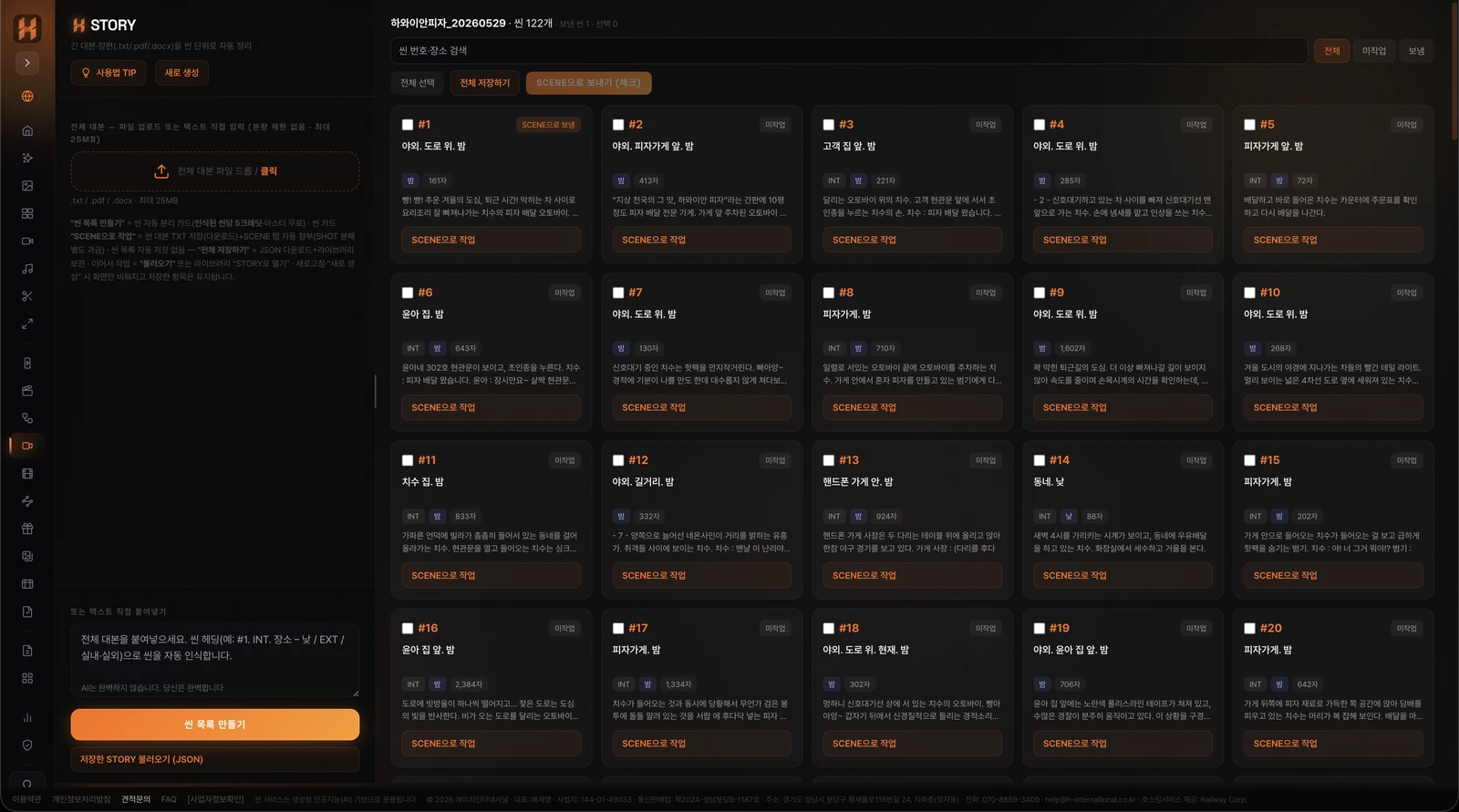
The STORY step splits the whole script into scenes first. It splits on standard scene headings and costs 5 credits per detected scene.
If there are no headings you get a notice that no scenes were found. Files can be txt, pdf, or docx up to 25MB each. The resulting scenes appear as cards you can search and filter by status.
Does the AI rewrite or summarize my script?
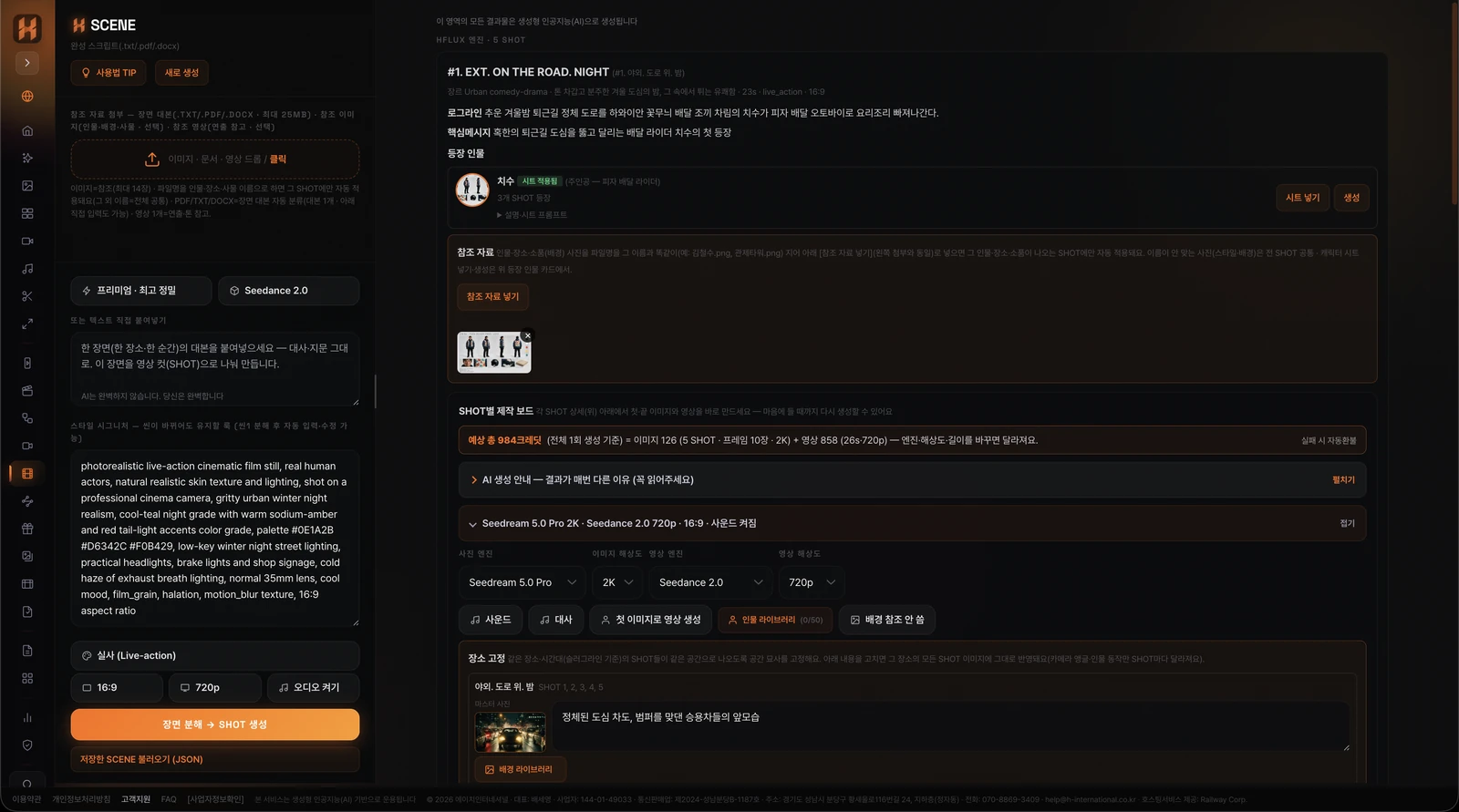
No. The SCENE step keeps dialogue, action lines, and scenes verbatim while splitting them into video shots. It does not rewrite, summarize, or adapt your text — it only adds production information such as shot size and lighting.
This matters in practice. A screenplay is already the product of many passes, and if a tool quietly reworks the lines you have to re-approve everything from scratch. Because SCENE leaves the locked script alone and layers production data on top, you can check the generated shots against the script line by line.
Do characters keep the same face across shots?
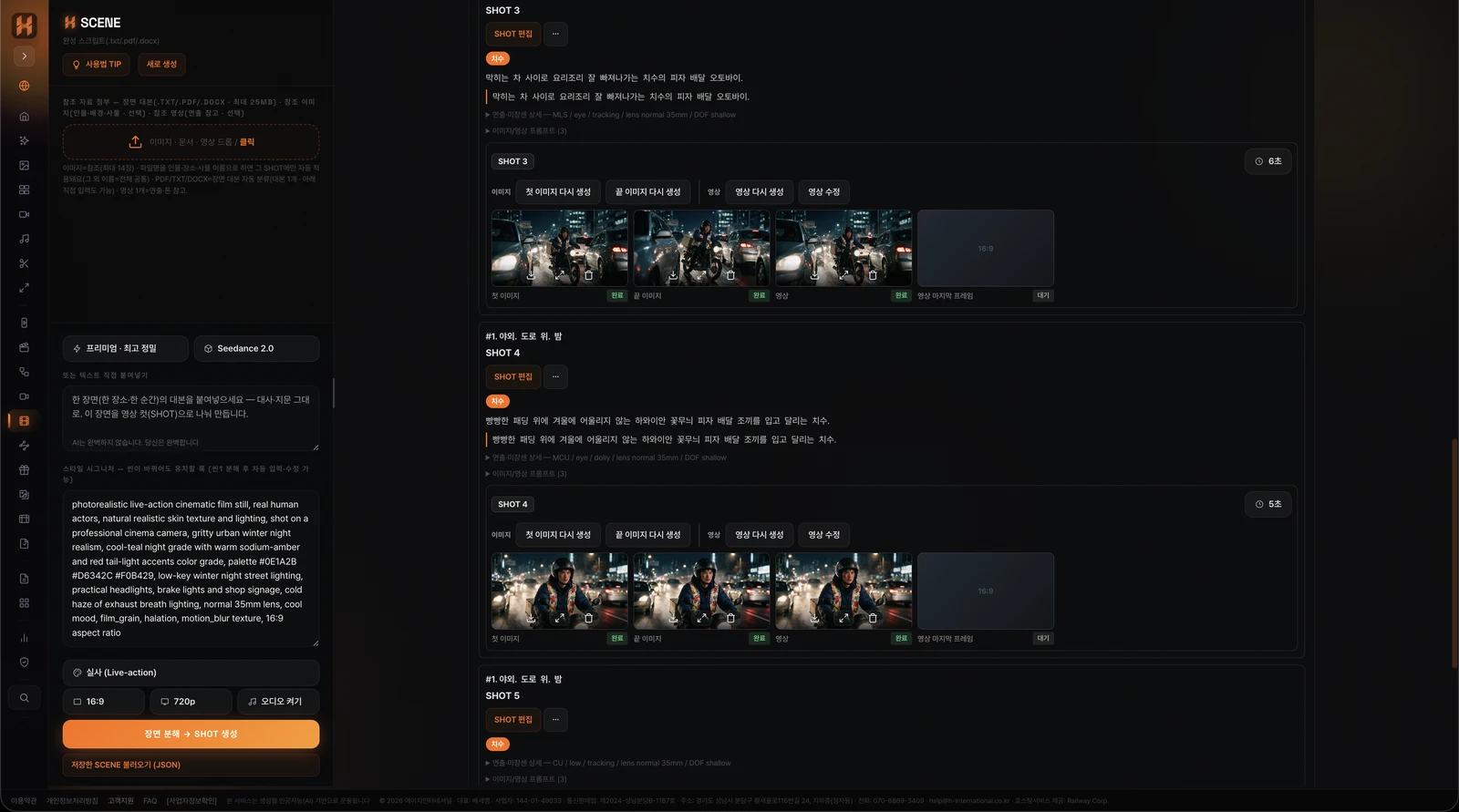
Make a character sheet first and it carries into the first and last frames of the following shots, so the same person is kept throughout.
- Character sheet — make it from the cast card first, or bring in one you already have
- Reference photos — photos of people, locations, and props can be added as references
- Character library — register a person once and reuse them across projects and in the video tab
Does the same location stay the same space?
Shots in the same location are made to continue as the same space. Only the camera angle and blocking change while the set stays put.
Edit the spatial description and every shot in that location follows. Day and night in the same location are handled separately. Locations you use often can be saved to the location library and pulled into other projects.
Can characters actually speak their lines on camera?
Set the video model to Seedance 2.5 (the default) or a Seedance 2.0 model and turn sound on, and shots with dialogue are generated with lip movement matched to the line. Korean is supported.
If the dialogue is long or dense the generation may be blocked, and credits are refunded automatically in that case.
How long can a single shot be?
Up to 30 seconds on Seedance 2.5 and up to 15 seconds on the Seedance 2.0 models. Longer scenes are split into multiple shots automatically during breakdown.
The lengths you can make differ by model, and duration can be set per shot.
How is this billed?
Scene splitting costs 5 credits per detected scene. Shot breakdown in SCENE costs 50 credits per shot. Estimated credits are shown before generation.
| Step | Cost | Notes |
|---|---|---|
| STORY — scene split | 5 credits per detected scene | Scenes are found by standard script headings |
| SCENE — shot breakdown | 50 credits per shot | The same for both analysis engines; charged after breakdown for the shots actually produced, and refunded if the breakdown fails |
HFLUX runs on prepaid credits, not a monthly subscription, so months without production cost nothing. That fits film work, where schedules come in bursts around a project. Credits stay valid for one year from the date of payment and unused remaining credits are refundable. Terms are in the Terms of Service.
Image and video credits vary by model and resolution. The per-second rate for every model, and the actual cost by length, are published on the pricing page, so you can work out a per-shot budget before starting.
A 100 credit welcome bonus is added on your first top-up. The smallest pack is enough to break down one scene and judge the output first.
Can I check the flow before committing to full quality?
Yes. Each shot makes its image first and the video after you check it, so you can see the whole flow first, then change resolution and model and regenerate the same scenes.
Editing, moving, inserting, deleting, or splitting shots leaves already-generated images and video intact.
Can I start without a finished script?
Yes. Put keywords, images, documents, or video into FLOW and it builds a video-ready plan with scenes, dialogue, and cinematography, then carries on to images and video on the same shot board.
With a script, start from STORY and SCENE; with only an idea, start from FLOW. Either way the order is the same: character sheet, first and last frames per shot, then video per shot.
Can I finish the shots into a complete video inside HFLUX?
Yes. Make voice, sound effects, and music in the Audio tab, then drop video and sound onto the timeline in the Edit tab, cut and join them, and export an MP4 or an FCP7 XML to carry into Premiere Pro or DaVinci Resolve. The Upscale tab takes the finished video to 1080p, 2K, or 4K.
- Editing — transitions and colour correction, playback speed, an audio track mixer
- Subtitles — created from speech and moved into other language tracks, and SRT or WebVTT files can be imported
- 3D STUDIO — a written shot becomes a 3D scene with characters, props, paths, and camera in place, exported as a reference video (mp4) to drive video generation
- CANVAS — the node canvas has STORY, SCENE, and FLOW nodes too, and a scene picked in the STORY node continues into a SCENE node
Each feature is described on HFLUX ABOUT US.
Can I spread the work over several days?
The STORY scene list is not saved automatically. Use "save all" to write it to a JSON file and the library, then load it later and continue.
Scene cards carry a badge once they have been sent to SCENE, so you can see how far you got. When you move to the next scene, resetting the board clears references and results so nothing bleeds over from the previous one.
Where do the files you make end up?
Outputs are kept in company storage for up to 7 days and then deleted automatically, and they are deleted immediately if you close your account.
For image outputs and speech synthesis outputs, only one representative file per generation is kept for the same period; the rest are not stored on the Company's servers and are saved only on your own PC (locally). Retention is not guaranteed, so save the original to your PC as soon as you generate it. The details are in the Privacy Policy.